iPhone Vs iCloud Storage – What’s the Real Difference?
Published: 27 Jun 2025
Many iPhone users struggle with storage issues every day. Did you know that over 60% of iPhone users run out of space within months of buying their phone? Apple gives limited internal space and only 5GB of free iCloud storage. This leaves people confused about where to store photos, apps, and backups. Some choose iPhone storage while others rely on iCloud. But what’s the smarter choice?
How do these two types of storage actually work?
In this simple guide, we will compare iPhone Vs iCloud Storage side by side. You’ll understand their uses, pros, and limits. Let’s find out what really fits your needs best.
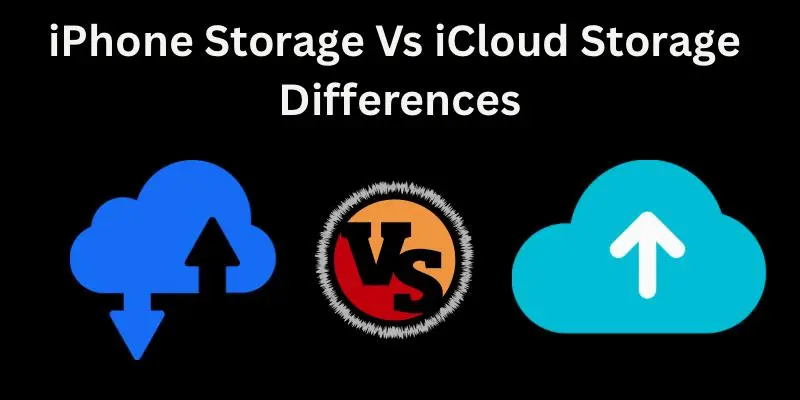
iPhone Storage vs iCloud Storage: A Simple Comparison
Let’s break down both storage types in a simple way. This will help you understand how they work and which one you should use.
What is iPhone Storage?
iPhone storage is the built-in space that comes with your phone. It stores your apps, photos, videos, and files directly on the device. You don’t need the internet to open or use anything saved here. Everything stays on your phone until you delete it or move it. If your iPhone has 64GB of storage, that’s all you get.
Once it fills up, your phone may slow down or stop saving new data. You can’t increase this space, so you must manage it carefully.
What is iCloud Storage?
iCloud storage is Apple’s online storage that works over the internet. It stores your data on Apple’s secure servers instead of your phone. Photos, notes, messages, and backups go there safely. You can access them anytime as long as you’re online.
Apple gives 5GB of iCloud space for free. You can buy more if you need it, like 50GB or 200GB. iCloud helps reduce pressure on your phone’s internal storage. It’s also useful for saving your files automatically.
Key Differences
The biggest difference is where your data is stored. iPhone storage keeps files on your phone, while iCloud stores them online. One works offline; the other needs an internet connection. That changes how and when you can access your stuff. Another key difference is file safety and sharing. iCloud syncs across devices, so your data stays updated.
If you switch phones or use an iPad, your info stays with you. But iPhone storage doesn’t share data between devices.
Storage Limits
iPhone storage has a fixed limit; you can’t upgrade it later. If you buy a 64GB iPhone, you’re stuck with that size. Once it fills up, you must delete or move things. That’s why many users face space issues quickly.
iCloud gives only 5GB for free, but you can increase it anytime. You can go up to 2TB if needed. This flexibility is great for people who take many photos or videos. You won’t have to delete important files just to make room.
Access & Availability
iPhone storage works anywhere, no internet needed. You can open apps, view photos, and play music anytime. It’s always available as long as your phone is on. This makes it simple and fast to use.
iCloud needs an internet connection to work. If you’re offline, some files won’t open or sync. But once online, everything updates automatically. So, it’s helpful if you often switch devices or need backup access.
Speed & Performance
Data saved in iPhone storage loads faster. Apps open quickly, and there’s no delay in loading photos or files. This is because the data is stored directly on your device. No need to wait for downloads or internet signals.
iCloud storage may be slower sometimes. It depends on your internet speed. Files take time to download or preview. But for backup and syncing, it works just fine.
Data Backup & Sync
iPhone storage does not back up your data automatically. If your phone is lost, you lose everything unless you’ve saved it. That’s why relying only on iPhone storage can be risky. Manual backups are needed using iTunes or Finder.
iCloud backs up your data automatically. It saves photos, settings, and app data without you doing anything. This makes recovery easy if your phone breaks. It also keeps your data updated across devices.
Security & Privacy
Your iPhone storage is private and stored only on your device. As long as no one has your phone, your data stays safe. But if the phone is lost or stolen, your info is at risk. There’s no way to recover it unless you have a backup.
iCloud uses Apple’s strong security features. Your files are encrypted and stored safely. Even if your phone is lost, your data is not. You can restore it on a new device anytime.
When to Use iPhone Storage
Use iPhone storage if you mostly work offline. It’s fast, easy, and doesn’t need an internet connection. You can access your files anywhere. It’s also a good option if you don’t like paying for extra space.
But be careful if you have a phone with low storage. Try to delete unused apps and large files. That helps keep your phone running smoothly. Also, check your storage settings regularly.
When to Use iCloud Storage
Use iCloud storage if you take lots of photos or videos. It’s perfect for backing up your data automatically. You don’t have to worry about losing files. Your data stays safe even if your phone is lost. iCloud is also great for people who use more than one device.
You can sync your data across iPhone, iPad, or Mac. Everything stays up to date. Just make sure you have a good internet connection.
Which One Is Right for You?
If you don’t take many photos and want quick access, use iPhone storage. It’s simple and doesn’t depend on internet speed. Just be sure you manage your space well. It’s best for users with higher storage iPhones.
If you like automatic backups and use many Apple devices, go with iCloud. It offers flexibility and extra safety for your files. Yes, you might need to pay for more space. But the peace of mind is worth it for many users.
Conclusion
You’ve now seen the true comparison between iPhone vs iCloud storage. This guide showed you the limits, features, and best ways to use each. Now it’s your turn to make the best storage choice. If you ask me, using both gives you more control and safety. Don’t rely on one when both can work better together.
Try this mix, and you’ll avoid low storage issues. Explore more helpful blogs on our website now.
FAQs
Yes, you can use both at the same time. iCloud can store backups and photos, while your iPhone holds apps and daily files. Using both gives you more space and better safety.
Apple gives you 5GB of iCloud storage for free. If you need more space, you’ll have to pay a monthly fee. Plans start with 50GB and go up to 2TB.
Yes, you need an internet or Wi-Fi connection to open files stored in iCloud. Without it, some photos or backups may not be available. iPhone storage works even when you’re offline.
Yes, just turn on iCloud Photos in your settings. Your photos will move to iCloud and free up phone space. Make sure you’re connected to the internet.
If your phone has low storage, iCloud is a smart choice. It helps store photos, backups, and more without filling your phone. You just need to stay connected to the internet.




- Be Respectful
- Stay Relevant
- Stay Positive
- True Feedback
- Encourage Discussion
- Avoid Spamming
- No Fake News
- Don't Copy-Paste
- No Personal Attacks
- Be Respectful
- Stay Relevant
- Stay Positive
- True Feedback
- Encourage Discussion
- Avoid Spamming
- No Fake News
- Don't Copy-Paste
- No Personal Attacks
