Real Differences Between iTunes and Apple Music
Published: 7 Jul 2025
Apple launched iTunes back in 2001 as a media library for music and more. Later, Apple Music came in as a paid streaming service. They might seem alike, but they serve different needs. One stores and manages your music files. The other lets you stream songs online without owning them. That’s where the real line between iTunes and Apple Music begins.
This post explores how both work and why the difference matters.
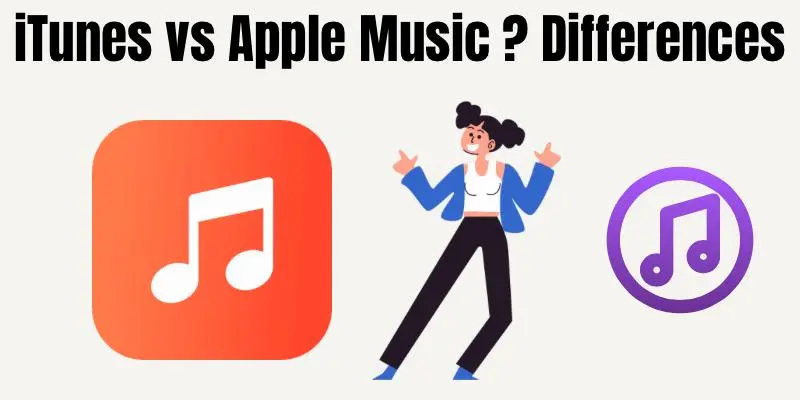
iTunes vs Apple Music – A Clear Comparison
Apple offers both iTunes and Apple Music, but they’re built for different purposes. Below, we’ll compare their features, uses, and benefits to help you understand which one fits your music needs better.
What Is iTunes and How Does It Work?
iTunes is a software that helps you store and manage your media. You can use it to buy music, and movies, or sync your iPhone. It works well for people who like keeping files on their devices. You don’t need the internet once your content is downloaded.
With iTunes, everything you buy stays with you forever. You get full control over what you listen to or watch. It also lets you back up your iPhone and restore it if needed. So, it’s more than just a music app.
If you like saving songs or movies, iTunes is a strong option. You can build your own collection and play it offline anytime. Many older iPhone users still prefer it for daily tasks. It’s also handy for moving files between your phone and PC.
What Is Apple Music and What Can You Do With It?
Apple Music is a streaming service where you can play over 100 million songs. You don’t need to buy each song—just search and listen. You pay monthly to stream all the music you want. It’s great for users who love exploring new tracks. You can also create playlists and download songs for offline play. Apple Music keeps your library updated across all your devices. That means what you add on iPhone shows up on iPad or Mac.
It works smoothly if you’re part of the Apple ecosystem. You won’t own the songs, but you get access to more content. That’s perfect for people who don’t want to manage files. If you enjoy discovering new music, Apple Music is made for you. It’s fast, smart, and easy to use on the go.
iTunes vs Apple Music – Core Features Compared
iTunes is built for media ownership—you buy and keep it forever. Apple Music is built for access—you stream but don’t own. iTunes needs downloads and storage space on your device. Apple Music needs a subscription and an internet connection to stream. With iTunes, you manage files, sync devices, and back up your phone. With Apple Music, you explore, save, and stream music quickly.
One focuses on control; the other on convenience. Which one matters more to you—owning music or having more of it?
Offline Access – Which App Handles It Better?
Both iTunes and Apple Music support offline use, but in different ways. iTunes stores files directly on your device forever. You can play them anytime, even without internet. It’s ideal for those with limited data or no Wi-Fi access.
Apple Music lets you download songs while you have a subscription. Once you cancel, those songs disappear. So, offline use is temporary unless you stay subscribed. That’s something you should keep in mind before choosing.
Device Compatibility and Usage
iTunes works best on Windows PCs and Macs. You can also use it to manage iPhones, iPads, and iPods. If you use a PC and like backing up your phone, iTunes fits well. It connects your devices for media transfer and file storage.
Apple Music works on iPhones, iPads, Macs, and even Android phones. It’s more flexible for people who use multiple devices. You don’t need to plug in your phone—just log in and stream. It’s a modern choice for those who are always online.
Cost and Subscription Differences
iTunes is free to use, but you pay for what you buy. Songs, movies, and albums have one-time prices. Once purchased, they’re yours forever. No monthly fees—just pay when you want something.
Apple Music is a monthly subscription service. You pay to access the entire music library. Individual, family, and student plans are available. If you stop paying, you lose access to the songs.
Which One Should You Use and When?
Use iTunes if you like owning your music or backing up your phone. It’s a better choice for collectors or offline users. Also, it’s perfect for people using Windows PCs with iPhones. You get control over files and full offline access.
Use Apple Music if you enjoy streaming and discovering songs. It’s easy, fast, and always up to date. You don’t need to buy songs—just press play. This is best for music lovers who want variety without the storage load.
Conclusion
Now you’ve seen how iTunes and Apple Music work differently. One gives you full control over your media; the other offers endless music on the go. Both are great—it all depends on how you enjoy your music.
If you love exploring and streaming, choose Apple Music. If you prefer offline access and keeping your collection, stick with iTunes.
Don’t stop here—explore more simple tech guides on our blog to stay ahead. Every smart choice begins with the right knowledge.
FAQs
Yes, you can use both. iTunes is for buying and storing media, while Apple Music is for streaming. They work side by side without conflict.
No, Apple Music needs a monthly subscription. iTunes is free to use, but you must buy songs or media separately.
Only for downloading music or backing up your device. Once downloaded, everything can be used offline.
No, songs from Apple Music cannot be permanently added to iTunes. You’re only streaming them, not owning.
iTunes is better if you want to keep songs forever. Apple Music allows offline listening, but only while subscribed.



- Be Respectful
- Stay Relevant
- Stay Positive
- True Feedback
- Encourage Discussion
- Avoid Spamming
- No Fake News
- Don't Copy-Paste
- No Personal Attacks
- Be Respectful
- Stay Relevant
- Stay Positive
- True Feedback
- Encourage Discussion
- Avoid Spamming
- No Fake News
- Don't Copy-Paste
- No Personal Attacks
